

Table of Contents
- Why This Comparison Matters Now
- Quick Comparison Table
- Runway Gen-4.5: Best for Professional Control
- Kling 3.0: Best Value for High-Volume Creators
- Pika 2.5: Best for Fast, Stylized Social Content
- Luma Dream Machine (Ray3): Best for Cinematic Color
- Hailuo AI: Best Free Tier to Start
- Which Tool Should StickBuzz-Style Creators Use?
- What About Sora?
- How to Choose Based on Your Budget
- Frequently Asked Questions
- Final Thoughts
Why This Comparison Matters Now
If you’ve read our StickBuzz production guide, you already know that image-to-video AI is the engine behind the entire workflow, it’s what turns a single still character image into a moving, talking, expressive scene. The problem is that the tool landscape has shifted enormously over the past year, new models, new pricing tiers, and even a major platform shutdown, and picking the wrong one wastes both money and hours of re-generating clips that don’t quite work.
This comparison focuses on the tools that actually matter for animation-style creators in 2026, and represents our picks for the best AI image to video generators available right now: Runway, Kling, Pika, Luma, and Hailuo. We’re not covering avatar or talking-head generators like Synthesia here, this list is specifically for creators animating still images into motion, the exact workflow StickBuzz-style videos depend on. Each tool below is evaluated on the things that actually matter for this kind of work: character consistency across scenes, cost per usable clip (not just the sticker price), how much control you get over timing and expression, and whether audio comes built in or needs to be added separately.
It’s worth saying upfront that none of these tools are perfect, and the “best” one genuinely depends on what you’re making. A creator producing five quick videos a week has very different needs than one producing a single polished, sponsor-funded video a month. This guide is organized so you can jump straight to whichever section matches your situation
Quick Comparison of the Best AI Image to Video Generators

| Tool | Starting Price | Best For | Native Audio | Free Tier |
|---|---|---|---|---|
| Runway Gen-4.5 | ~$12/month (Standard) | Professional control, camera moves | Text-to-speech | Yes, limited |
| Kling 3.0 | ~$6.99/month | Long clips, high volume, lip-sync | Yes, 5 languages | Yes, generous |
| Pika 2.5 | ~$8/month | Fast social content, precise framing | Limited | Yes, ~80 credits/month |
| Luma Dream Machine (Ray3) | ~$9.99/month (Lite) | Cinematic color grading | No, silent output | No free video generation |
| Hailuo AI | Free to start | Testing and exploration | Varies | Most generous free tier |
Runway Gen-4.5: Best for Professional Control
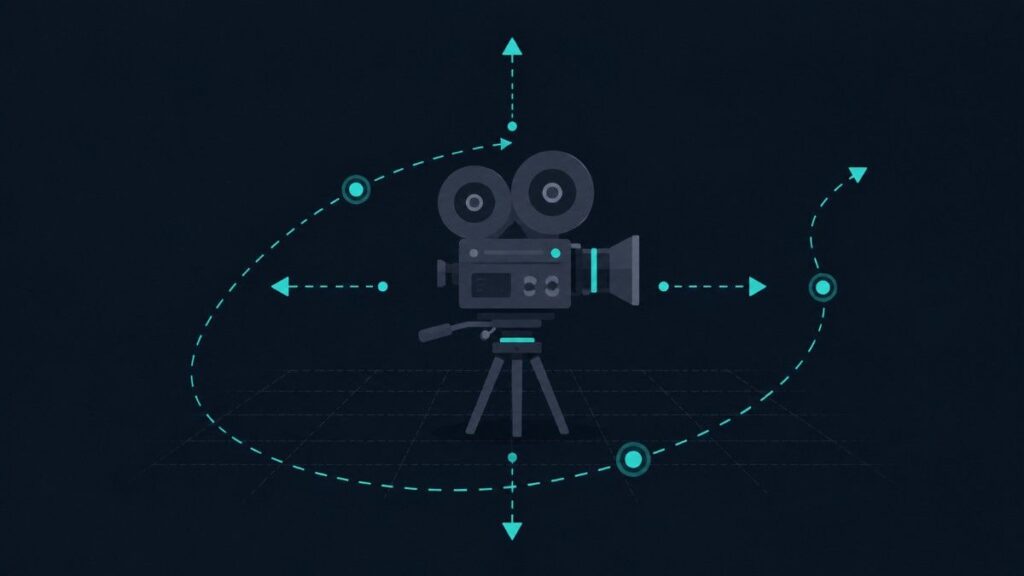
Kling has closed most of the quality gap it once had with Runway and Luma, while staying meaningfully cheaper per generated clip. It supports longer clips than most competitors, some reports put usable clip length well past 30 seconds, and it’s one of the few tools in this category offering native lip-synced dialogue in five languages, a genuine advantage if your characters talk on screen.Runway currently sits at the top of independent text-to-video leaderboards and is consistently ranked among the best AI image to video generators for creators who need precise camera control, largely thanks to what the company calls “world consistency,” characters, environments, and objects stay visually coherent across cuts without extra prompting effort. For animation creators, that consistency matters enormously, since keeping a character looking the same scene after scene is one of the hardest parts of this entire workflow.
Runway’s paid tiers run from a Standard plan around $12/month up through Pro at roughly $28/month and an Unlimited tier near $76/month for high-volume studios. The trade-off is that Runway’s interface has more depth and a steeper learning curve than some competitors, it’s built for creators who want granular control over camera movement, motion brushes, and shot composition, not just a quick auto-generated clip.
Pricing typically starts around $8 to $10 a month depending on the platform you access it through, and Kling is often available bundled inside multi-model platforms because of its credit-based system. For creators publishing several videos a week, the lower cost per clip adds up fast, and Kling’s storyboard tool makes planning a multi-scene script noticeably easier than piecing scenes together one prompt at a time.
Kling 3.0: Best Value for High-Volume Creators

Kling has closed most of the quality gap it once had with Runway and Luma, while staying meaningfully cheaper per generated clip, which is why it’s often cited among the best AI image to video generators for creators publishing at real volume. It supports longer clips than most competitors, some reports put usable clip length well past 30 seconds, and it’s one of the few tools in this category offering native lip-synced dialogue in five languages, a genuine advantage if your characters talk on screen.
Pricing typically starts around $8 to $10 a month depending on the platform you access it through, and Kling is often available bundled inside multi-model platforms because of its credit-based system. For creators publishing several videos a week, the lower cost per clip adds up fast, and Kling’s storyboard tool makes planning a multi-scene script noticeably easier than piecing scenes together one prompt at a time.
Pika 2.5: Best for Fast, Stylized Social Content
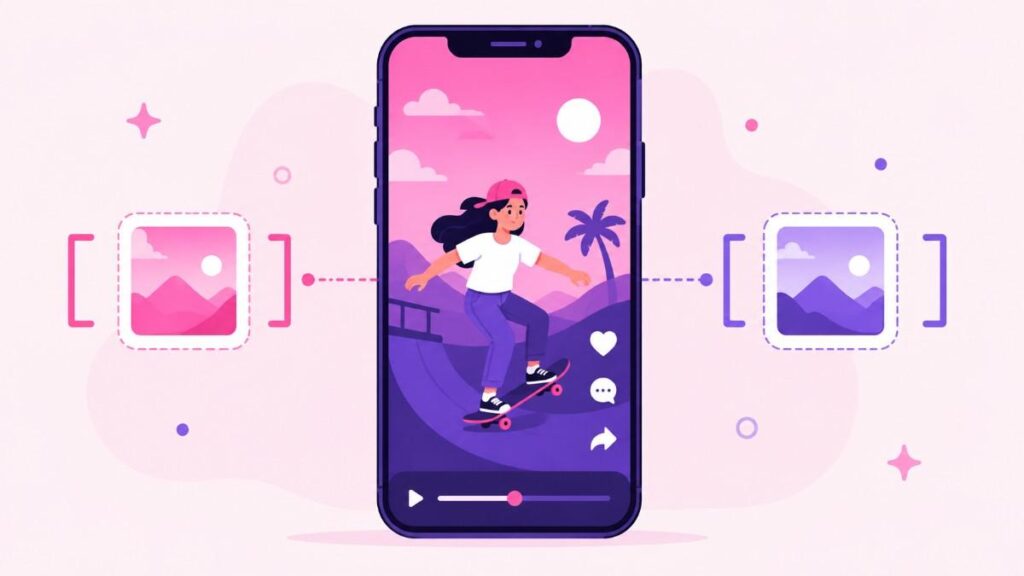
Pika’s standout feature, and one of the reasons it consistently ranks among the best AI image to video generators for social content, is something called Pikaframes, the ability to define both a start frame and an end frame and let the AI fill in everything in between. For animation work, this gives a level of control over motion and timing that most competitors simply don’t offer by default.
Pika trails Runway and Kling slightly on raw photorealism, but that’s rarely a problem for stick-figure or cartoon-style animation, where stylization matters more than realism anyway. Pricing starts around $8 a month, and Pika offers roughly 80 free credits monthly, enough to test the tool seriously before committing to a paid plan. One thing worth double-checking before you commit: some reports mention restrictions on monetized accounts on certain plans, so confirm current terms directly with Pika before publishing monetized content built entirely on their free or entry tier.
Luma Dream Machine (Ray3): Best for Cinematic Color

Luma’s Ray3 model is known for producing some of the most cinematically graded color and atmosphere of any tool in this best AI image to video generators comparison, which makes it a strong pick for creators who want their videos to feel visually distinct rather than generic. Pricing starts around $9.99/month for the Lite tier and roughly $29.99/month for Pro.
There are two real trade-offs to know about before choosing Luma. First, it generates completely silent video, you’ll need to add voiceovers and sound effects entirely in post-production, which most StickBuzz-style workflows do anyway, but it’s worth knowing upfront. Second, the newest Ray3.14 update reportedly dropped reference-image and character-consistency support that earlier versions had, which matters a lot for animation creators who need the same character to look identical across dozens of videos, so this is worth testing carefully before building an entire channel around it.
Hailuo AI: Best Free Tier to Start

If you’re not ready to pay for anything yet, Hailuo AI is consistently reported as having the most generous free tier among the best AI image to video generators available right now, with daily generation allowances that make it realistic to actually test a real workflow before spending anything. It won’t replace a paid tool once you’re publishing at real volume, but it’s a genuinely useful way to prototype character designs and animation prompts before committing budget anywhere else.
Which Tool Should StickBuzz-Style Creators Use?
For creators specifically building StickBuzz-style stick figure animation, the practical recommendation, based on this comparison of the best AI image to video generators, is to start with Kling for its balance of cost, clip length, and built-in lip-sync, since dialogue-driven comedy depends heavily on natural-looking mouth movement matched to voiceover. Layer in Pika when you need precise start/end frame control for a specific comedic beat, like a slow head turn timed exactly to a punchline.
Reserve Runway for videos you’re planning to pitch as part of a brand sponsorship or higher-budget project, since its consistency and camera control genuinely produce a more polished, professional result that’s worth the higher cost when a client is paying for it. Most successful creators in this space don’t lock into a single tool, they treat each one as suited to a specific type of shot, the same way a video editor might reach for different software depending on the task.
What About Sora?
If you were previously using OpenAI’s Sora, it’s worth knowing the platform’s consumer app and web access have been winding down in 2026, with API access following shortly after. Reported reasoning points to unsustainable compute costs relative to what users were actually paying per generated clip. If you had a Sora-based workflow, migrating to Runway, Luma, or Veo is the path most former Sora users have taken, and the tools compared in this guide cover that migration well.
How to Choose the Best AI Image to Video Generator Based on Your Budget
If you’re just starting out and want to test the workflow without spending anything yet, start with Hailuo’s free tier and Pika’s free credits to get a feel for prompting before paying for anything. This costs you nothing but time, and time spent learning how each tool interprets your prompts is never wasted, since prompt-writing skill carries over even if you switch tools later.
If you’re publishing consistently, three to five videos a week, and need to control costs per video, Kling’s pricing and long clip length make it the strongest value pick in this comparison. At that publishing volume, even small per-clip savings compound quickly over a month, and the built-in lip-sync means you’re not paying separately for a voice-matching step in your editing software.
If you’ve already got a growing audience and are landing brand deals, it’s worth upgrading to Runway’s Pro tier for projects where visual polish and consistency directly affect how much a sponsor is willing to pay. A sponsor evaluating your channel for a partnership is far more likely to notice inconsistent character rendering or awkward camera motion than a casual scrolling viewer would, so the extra cost tends to pay for itself once real sponsorship money is involved.
A reasonable middle path, and the one most established creators actually land on when weighing the best AI image to video generators against their budget, is running two subscriptions at once: a cheap, high-volume tool like Kling for the bulk of weekly content, and a premium tool like Runway reserved specifically for sponsored videos or channel trailers where the extra polish visibly matters.
Frequently Asked Questions
Which is the best AI image to video generator for stick figure animation specifically? Kling 3.0 is generally the strongest starting point for stick figure and cartoon-style animation, thanks to its lower cost per clip, longer clip length, and native lip-sync support for dialogue-driven jokes.
Do any of these tools generate audio automatically? Kling offers native lip-synced dialogue in several languages, and Runway offers text-to-speech. Luma’s Ray3 generates completely silent video, and Pika’s audio support is more limited, so voiceovers are typically still added separately in most workflows.
Is there a genuinely free way to try these tools before paying? Yes. Hailuo AI currently offers the most generous free daily allowance, and Pika provides a monthly batch of free credits, both are reasonable ways to test prompting and character consistency before committing to a paid plan.
What happened to Sora, and should I still consider it? Sora’s consumer app and web access have been shutting down through 2026, with API access following. New workflows are better built around Runway, Kling, Luma, or Veo rather than Sora at this point.
Do I need to subscribe to just one tool, or can I use several? Many creators use more than one. It’s common to use a cheaper, high-volume tool like Kling for most scenes, and reserve a more premium tool like Runway for a handful of hero shots or sponsored content where visual polish matters most.
Final Thoughts
There isn’t a single best AI image to video generator for every creator in 2026, the right choice depends entirely on what you’re making and how much you’re publishing. Whichever one you pick from the best AI image to video generators covered here, the tool matters less than how consistently you test and refine your prompts. For most StickBuzz-style animation creators, Kling offers the strongest balance of cost, clip length, and dialogue support to start with, while Pika and Runway are worth adding once you need more precise timing control or a more premium finish for sponsored work.
Rather than committing to a single subscription right away, use the free tiers on Hailuo and Pika to test your actual character prompts first. Once you know which tool consistently reproduces your characters the way you want, that’s the one worth paying for.