
Stick figure animations have exploded across YouTube Shorts, Facebook Reels, Instagram Reels, and TikTok, and it’s easy to see why. Millions of viewers love short comedy clips because they’re simple, relatable, and easy to watch in a matter of seconds. Among the fastest-growing styles is StickBuzz, a clean 2D stick-figure format built around expressive faces, exaggerated reactions, and fast-paced humor that keeps audiences hooked.
The best part about StickBuzz video is that you don’t need years of animation training to make one. Thanks to modern AI tools, anyone with a computer and a bit of creativity can produce professional-looking animated comedy from home. This guide walks you through the entire process, from your first idea to a published video, so you can start creating StickBuzz Video today.
What Is a StickBuzz Video?

A StickBuzz video is a short animated comedy built around simple stick characters with oversized, expressive heads. The humor comes from snappy dialogue, exaggerated facial expressions, and punchlines the viewer doesn’t see coming.
Unlike traditional cartoons, which require thousands of hand-drawn frames, StickBuzz videos rely on AI-generated images and image-to-video animation tools. This dramatically speeds up production while still delivering a polished, professional look. Most StickBuzz videos run between 10 and 30 seconds, which makes them a perfect fit for YouTube Shorts, Facebook Reels, Instagram Reels, and TikTok.
Why StickBuzz Video Go Viral
Short-form comedy performs well because it’s fast to consume and easy to share. The StickBuzz video that go viral tend to share a few traits: a strong hook in the first three seconds, a relatable conversation, an unexpected ending, expressive character reactions, quick pacing, and clean, uncluttered visuals.
When you combine genuine humor with simplicity, viewers are far more likely to watch to the end, and far more likely to share the clip with friends. That combination of watch-time and shareability is exactly what short-form algorithms reward.
Step 1: Find a Funny Idea
Every great StickBuzz video starts with a simple idea. The strongest jokes come from everyday situations that people instantly recognize, things like marriage jokes, friendship banter, school humor, office comedy, parents versus kids, shopping trips, driving mishaps, restaurant mix-ups, tech frustrations, and simple misunderstandings.
Rather than building a complicated story, focus on a short exchange with a surprising twist at the end. Before you commit to an idea, ask yourself a few quick questions: Can someone understand the joke within five seconds? Does it have an unexpected twist? Is it easy to animate? Will people actually relate to it? Simple, relatable ideas almost always beat complicated ones.
Step 2: Write a Short Script
Keep your scripts tight and direct. A typical StickBuzz script follows a simple three-part structure: a hook that grabs attention immediately, a short setup that introduces the situation, and a punchline that lands the unexpected joke.
For example, the hook might be the wife asking, “Honey, can I ask you something?” The setup is the husband’s simple reply, “Sure.” And the punchline delivers the twist: “I forgot you at the gas station.” The punchline should arrive quickly, since long conversations tend to kill viewer retention on short-form platforms.
Step 3: Break the Script Into Scenes
Once your script is finished, break it down into a handful of short scenes to make the animation process easier to manage. A typical breakdown might look like this: Scene 1 introduces the question, Scene 2 delivers the answer, Scene 3 reveals the twist, and Scene 4 shows the funny reaction. Structuring your script this way keeps each scene focused and simple to animate.
Step 4: Design Consistent Characters
Consistency is one of the most important parts of building a recognizable StickBuzz brand. Your characters should look the same in every video you publish, since viewers start to recognize and follow characters the same way they follow a cartoon series.
For a husband character, you might use a round white head, soft grey shading, short black hair, large expressive eyes, thick eyebrows, a white oval torso, thin stick arms and legs, white mitten hands, and oversized white shoes. For a wife character, you might use a round white head, a long brown ponytail, pink lips, large eyelashes, a white oval torso, thin stick limbs, and white shoes. Locking in a consistent design early makes your channel instantly recognizable over time.
Step 5: Create High-Quality Images
With your characters designed, the next step is generating images for each scene. Every image should show the correct character expressions, accurate poses, a minimal background, good lighting, and consistent proportions. A clean, uncluttered environment keeps the viewer’s attention on the characters and the joke, not on background noise.
Step 6: Use Image-to-Video AI
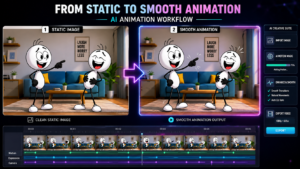
Modern AI animation tools can turn a single still image into a moving scene. Popular options include Kling AI, Runway, Pika, Luma Dream Machine, and Hailuo AI. The basic workflow is the same across tools: upload your image, add an animation prompt, and describe exactly how the character should move.
A strong prompt might read something like: “The wife looks shocked, slowly opens her mouth, raises one eyebrow, then suddenly turns toward the husband.” The more specific and descriptive your prompt, the better the resulting animation will look.
Step 7: Add Voiceovers
Good voice acting makes a noticeable difference in how funny a StickBuzz video feels. You can use AI voice generators, hire professional voice actors, or record your own voice, depending on your budget and comfort level.
Give each character a distinct personality through their voice. For example, the husband might sound calm and sarcastic, while the wife sounds energetic and emotional. Keeping the dialogue natural and easy to follow helps the joke land cleanly.
Step 8: Add Sound Effects
Sound effects can dramatically boost the comedic timing of a scene. Common choices include slap sounds, a record scratch, a door knock, a tire screech, audience laughter, a cartoon “boing,” footsteps, or a ringing phone. These small audio details make jokes feel more dynamic and help sell the physical comedy, even though the characters are simple stick figures.
Step 9: Edit the Video
Editing is where all the pieces come together into a finished video. Popular editing tools for this format include CapCut, DaVinci Resolve, Premiere Pro, and VN Editor.
Trim every unnecessary pause, since comedy depends heavily on timing. If a joke feels slow, cut the dead air. As a general rule, keep scenes changing every two to three seconds to match the fast pacing that short-form audiences expect.
Step 10: Export in Vertical Format
Always export your finished video in 9:16 vertical resolution, since vertical video performs best on modern social platforms. Recommended export settings are 1080 × 1920 resolution, 30 FPS, MP4 format, and the H.264 codec.
Step 11: Design an Eye-Catching Thumbnail
Even though Shorts and Reels often autoplay, a strong thumbnail still helps with click-through rate on platforms like YouTube. Effective thumbnails use big facial expressions, bright colors, simple backgrounds, one clear emotional moment, and minimal text. A shocked or confused expression usually outperforms a busy, complicated image.
Step 12: Optimize for SEO
To help your videos reach a wider audience, write SEO-friendly titles and descriptions and work relevant keywords in naturally. Useful keywords for this niche include stick figure animation, funny cartoon, animated comedy, viral Shorts, AI animation, comedy video, funny husband and wife, and cartoon jokes. Avoid keyword stuffing; write for your human viewers first, and let the keywords support that writing rather than dominate it.
Common Mistakes Beginners Make
Many new creators run into the same handful of problems. Watch out for overcrowded backgrounds, too many characters in one scene, conversations that run too long, weak punchlines, inconsistent character designs, slow editing, low-quality audio, poor lighting, and facial expressions that are too small to read on a phone screen. In almost every case, keeping things simpler produces a better result.
Best Tips for Viral StickBuzz Videos
Long-term success comes down to consistency and quality more than any single viral hit. Post regularly, keep videos short, and open with a strong hook every time. End with a punchline that’s genuinely memorable, and keep your characters consistent from video to video so viewers start to recognize them.
Lean into expressive facial animation, keep backgrounds minimal, and focus on humor that’s genuinely relatable rather than niche or complicated. Study which of your videos perform best, and use that data to refine your pacing, your jokes, and your style with every new upload. A post about “best AI voice generators“
Final Thoughts
Creating StickBuzz video has never been more accessible. With AI-powered image generation, image-to-video animation, realistic voiceovers, and simple editing tools, even complete beginners can produce genuinely entertaining animated shorts.
The real key to success isn’t building the most complex animation, it’s creating content that makes people laugh within seconds. Start with a simple idea, build recognizable StickBuzz characters, keep your visuals clean, and deliver a strong punchline. As you publish consistently and learn from audience feedback, your videos will keep improving and reaching more viewers.
Whether you’re creating for YouTube Shorts, Facebook Reels, Instagram Reels, or TikTok, StickBuzz-style animation offers a fun, scalable way to build an audience. Keep experimenting, stay consistent, and most importantly, enjoy the creative process.