
In today’s world, pretty much everything is online, which means your personal info is all over the place. Think about it – your bank stuff, your social media… it’s all out there. And sadly, there are always hackers trying to find a way in.
You hear stories all the time about how often hacks happen and how many people get their data stolen each year. It’s kind of scary.
But the great thing is, keeping your online stuff safe doesn’t have to be super hard. If you get into some good habits and use a few easy tricks, you can seriously lower your chances of getting hacked.
So, this guide is all about simple ways you can guard your online info against hackers.
1. Passwords: Make Them Strong!
Weak passwords are like leaving your front door unlocked. If you’re using something like 123456 or just password, it’s time for an upgrade.
A good password is:
- Long – at least 12-16 characters.
- A mix of upper and lowercase letters, numbers, and symbols.
- Not something obvious, like your name or birthday.
- Different for every account you have.
Quick Tip: Password managers like Bitwarden, 1Password, or Dashlane can make this way easier. They come up with strong passwords for you and remember them all, so you just need one master password.
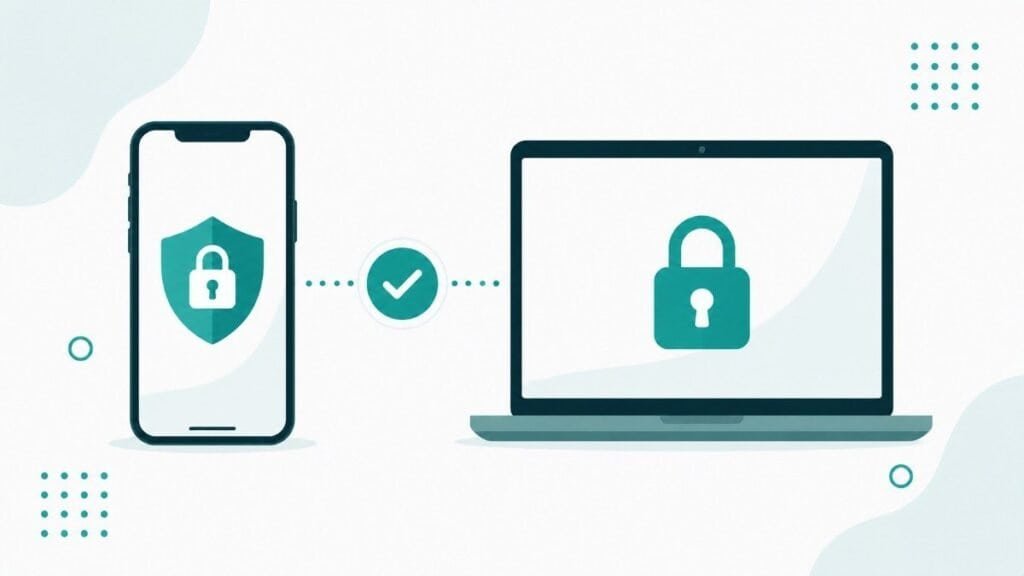
2. Turn On Two-Factor Authentication (2FA)
Even if someone figures out your password, 2FA gives you an extra shield.
Basically, it means you need a code from your phone, your fingerprint, or an app to log in.
Some good apps for that are:
- Google Authenticator
- Authy
- Microsoft Authenticator
The cool thing is, even with your password, hackers can’t get in without that second step.
3. Be Careful with Public Wi-Fi (or Use a VPN)
Free Wi-Fi at coffee shops is nice, but it’s also risky. Hackers can sometimes see what you’re doing on those networks.
To stay safe:
- Don’t log in to important accounts when you’re on public Wi-Fi.
- Use your phone’s hotspot if you can.
- Get a VPN (Virtual Private Network) like NordVPN, ProtonVPN, or Surfshark.
A VPN scrambles your internet stuff, so no one can snoop on you.
4. Update Your Software and Devices
Hackers love it when you don’t update things, because old software has security holes.
So, always:
- Turn on automatic updates for your computer.
- Keep your internet browser and antivirus stuff up-to-date.
- Get rid of apps you don’t use anymore.
Updates fix those little holes and keep things safer.
5. Watch Out for Sneaky Phishing Emails
Phishing is still a big way hackers trick people. They send fake emails that look real, trying to get you to give up your info.
How to spot them:
- Double-check the sender’s email address.
- Don’t click links from people you don’t know.
- Be careful of emails that say things like Your account will be shut down!
- Look for typos or bad grammar.
It’s always better to go straight to a website by typing the address yourself instead of clicking a weird link.
6. Lock Down Your Social Media
Social media is like a treasure chest for hackers. The more you share, the easier it is for them.
Some tips:
- Make your profiles private if you can.
- Don’t post your address, phone number, or birthday for everyone to see.
- Don’t click weird links in messages.
- Turn on 2FA for Facebook, Instagram, X, and TikTok.
Remember, those fun quizzes can be a way to collect your info.
7. Get Antivirus Software
Even if you’re careful, you can still run into bad stuff like spyware or viruses.
Antivirus software is like a bodyguard for your computer.
Some good ones are:
- Bitdefender
- Malwarebytes
- Norton 360
- Kaspersky Security Cloud
- Windows Defender (it’s built-in and works well)
Make sure it scans your computer regularly and stays updated.
8. Secure Your Home Wi-Fi
Your home Wi-Fi is connected to everything you own. If it’s not safe, hackers can get into your files, cameras, and other devices.
Here’s how to secure it:
- Change the name and password of your Wi-Fi network.
- Use WPA3 encryption (or at least WPA2).
- Turn off remote access to your router.
- Restart your router every month to keep things fresh.
- Set up a separate guest network for visitors.
A strong Wi-Fi password is just as important as your other passwords.
9. Encrypt Your Data
Encryption basically scrambles your data so that only someone with a special key can read it. Even if hackers steal it, they can’t do anything with it.
Some ways to encrypt:
- Use BitLocker (Windows) or FileVault (Mac) for your whole computer.
- Use secure messaging apps like Signal or Telegram.
- Use safe cloud storage like Proton Drive or Tresorit.
It’s like locking your data in a digital safe.
10. Stay in the Know
Hackers are always coming up with new tricks, so it helps to stay informed.
How to do that:
- Read cybersecurity blogs like NeuronHubs, KrebsOnSecurity, and DarkReading.
- Watch quick YouTube videos about staying safe online.
- Tell your friends and family about online privacy.
The more you know, the safer you’ll be.
| Need | Recommended Tool | Free Option |
|---|---|---|
| Password Manager | Bitwarden, 1Password | Bitwarden (Free) |
| 2FA Authenticator | Authy, Google Authenticator | Yes |
| VPN | ProtonVPN, NordVPN | ProtonVPN (Free) |
| Antivirus | Windows Defender, Bitdefender | Windows Defender (Free) |
| Encrypted Email | ProtonMail, Tutanota | Yes |
Signs You Might Have Been Hacked
Keep an eye out for these:
- Logins you don’t recognize.
- Your computer is running slow or acting weird.
- Charges on your credit card that you didn’t make.
- Friends saying they got spam messages from you.
If any of that happens:
- Change your passwords ASAP.
- Run a full antivirus scan.
- Turn on 2FA wherever you can.
- Call your bank if you think your money is at risk.
Acting fast can stop things from getting worse.
The Future of Online Safety
Cybersecurity is getting smarter all the time. We’re seeing things like AI that can spot threats, fingerprint logins, and new ways to protect data. But hackers are getting better too.
That’s why it’s so important to use technology and good habits together. The tools can help, but being smart is what will really keep you safe.
In conclusion
Your info is worth protecting, so handle it with care.
Start with the simple stuff:
- Make strong passwords.
- Turn on 2FA.
- Update your software.
- Be careful about links.
You don’t need to be a tech expert to stay safe online. Just be consistent and aware.
Also Check
Стоит ли заказать продвижение сайта, если уже работает контекстная реклама?
Great content! Keep up the good work!
ozrqwlrqykylzvhedydqegjlhoxsit